Lead Management Software Malaysia
Capture enquiries from phone calls, website forms, WhatsApp, and exhibitions—assigning ownership immediately so zero prospects go unanswered.
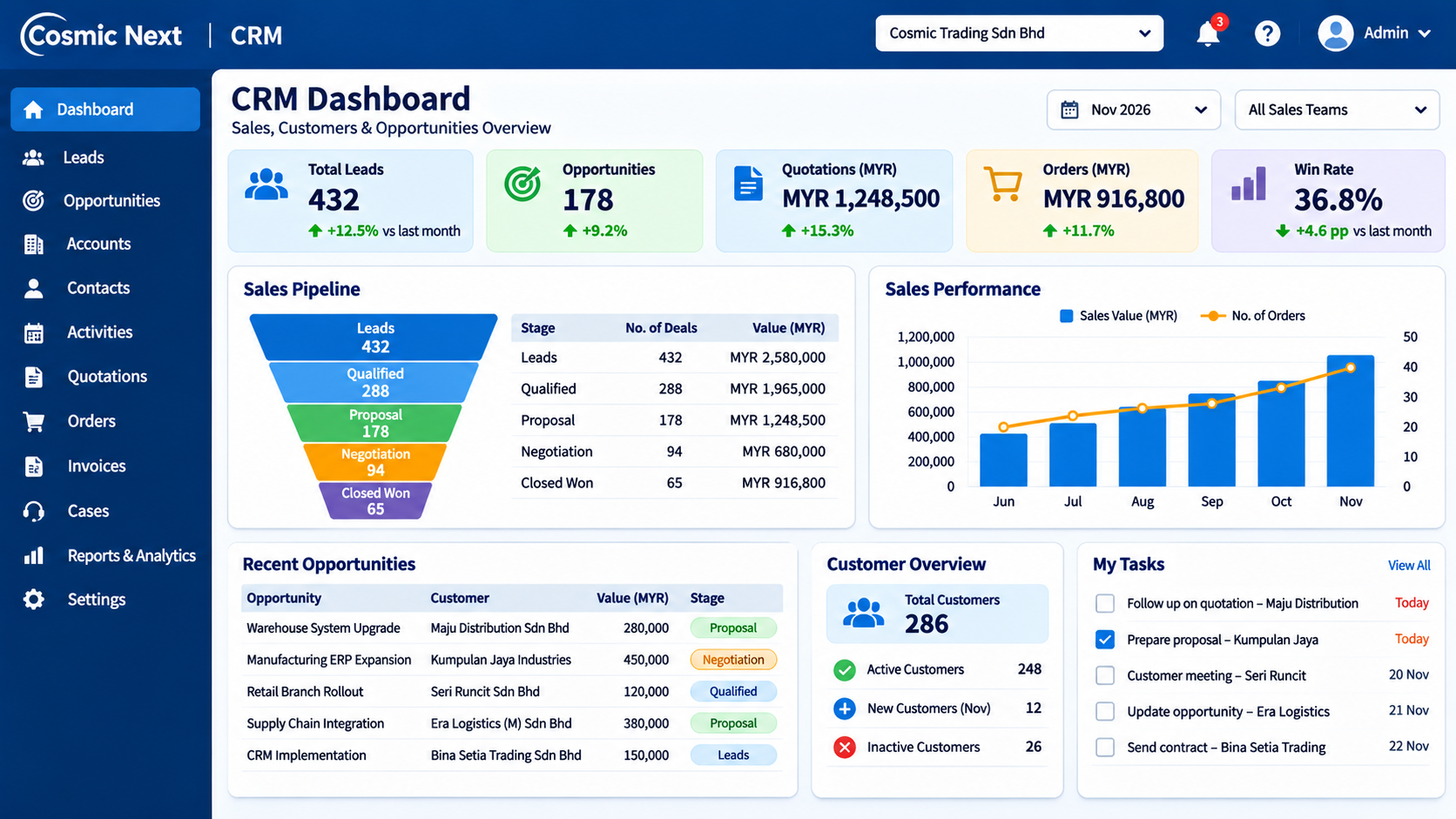
Stop Losing Marketing & Walk-In Enquiries Before Your Sales Team Calls Back
In many Malaysian businesses, prospects call the office landline, submit website contact forms, message company WhatsApp numbers, or drop business cards at trade exhibitions. When enquiries get forwarded casually in group chats without a named owner, two salespeople call the same prospect—or worse, nobody follows up until the buyer has already ordered from a competitor.
Cosmic Next gives your front desk, inside sales, and field reps one central Lead Inbox—logging every enquiry source, checking for existing customer duplicates, assigning an owner immediately, and converting qualified prospects into Sales Opportunities.
Request Lead Management DemoFour Steps That Keep Every New Enquiry Moving
Turn scattered phone, web, and exhibition enquiries into structured sales discussions.
Log Source & Duplicate Check
Record caller name, company, phone, email, and enquiry channel (Website, Call, WhatsApp, Exhibition)—auto-checking if the company already exists in your database.
Route to Right Rep
Assign the lead by state territory, product division, or round-robin queue—sending an instant alert so the rep calls back while the prospect is still warm.
Verify Need & Timeline
Log call notes, requested product specs, estimated order quantity, and target purchase month—separating urgent buyers from long-term price checkers.
1-Click Opportunity Conversion
Convert qualified leads straight into a Customer Account, Contact, and Sales Opportunity—carrying over every note so you can issue a quotation immediately.
Six Lead Details Captured Before Converting to a Deal
Keep your sales pipeline focused on genuine buyers rather than unverified enquiries.
| Lead Field | What Staff Record | Practical Sales Benefit |
|---|---|---|
| Enquiry Source | Website Form, Phone Call, WhatsApp, Referral, or Trade Exhibition. | Shows management which marketing channels actually generate closed sales. |
| Company & Role | Business name, state/location, contact person, and job title (Buyer, Engineer, Director). | Routes the enquiry to the right regional sales rep immediately. |
| Product / Service Need | Requested equipment, SKU category, estimated quantity, or operational problem. | Lets reps prepare technical specs or stock checks before calling back. |
| Target Purchase Timeline | Urgent (This Month), Next Quarter, or Future Budget Planning. | Helps reps prioritize immediate buyers without forgetting long-term prospects. |
| Lead Status | New, Contacted, Qualified, Nurture Later, or Disqualified (with reason). | Gives managers a clear daily count of uncontacted leads needing follow-up. |
| Next Follow-Up Date | Scheduled call-back or site-visit reminder assigned to the lead owner. | Eliminates silent drop-offs when prospects ask reps to call back next week. |
How a Selangor Machinery Supplier Tracks Exhibition Cards and Website Enquiries
Suppose a Selangor industrial equipment distributor collects 85 business cards at a Kuala Lumpur trade exhibition while receiving 20 website enquiries that same week. Instead of letting cards sit in a drawer, staff log every lead into Cosmic Next, check for existing customer accounts, and assign follow-ups by territory—converting qualified buyers straight into quotations on Sales CRM Software Malaysia.
Explore how Lead Management connects with CRM Software Malaysia and CRM for SMEs Malaysia.
Lead Management Setup Checklist
- List All Enquiry Channels: Standardize Website, WhatsApp, Phone, Referral, and Exhibition tags.
- Define Routing Rules: Assign incoming leads by state territory or product division.
- Set Response-Time Alerts: Flag new leads untouched after 24 hours.
- Standardize Disqualification Reasons: Track Out of Territory, Price Only, or Duplicate Enquiry cleanly.
Explore Detailed Cosmic Next CRM & Sales Pages
Compare core CRM capabilities, territory controls, deal pipelines, SME plans, and pricing.
Lead Management Software Malaysia Frequently Asked Questions
What is the difference between a Lead and a Sales Opportunity?
A Lead is an initial enquiry or prospect whose requirements are still being verified. Once your salesperson confirms a real purchasing need and timeline, they convert the Lead into a Customer Account and Sales Opportunity in one click.
How does Cosmic Next prevent two salespeople from calling the same prospect?
When logging or importing a new lead, Cosmic Next checks existing phone numbers, email addresses, and company names—alerting staff if another rep already owns that prospect or customer account.
Can we import leads collected from trade exhibitions or marketing spreadsheets?
Yes. You can bulk-import exhibition contacts or campaign spreadsheets using CSV templates—tagging the campaign source and assigning follow-up owners immediately.
Stop Letting Website, Phone, and WhatsApp Enquiries Slip Away
Share your enquiry channels and sales team structure with our Puchong team—we will walk you through a live Lead Management demo.
Schedule Lead Management Consultation